發表文章

目前顯示的是有「Kaleido 3」標籤的文章

How My Eyes Felt After Two Weeks of Heavy Use of the Bigme 251 E-Ink Display

圖片
Coding on Bigme 251 with a delicious lunch lovingly prepared by my wife I've had the Bigme 251 for over two weeks now. During this time, I've had enough daily time to conduct a personal experiment on eye strain, testing whether using this screen for extended periods of work and study with the frontlight on causes any eye discomfort. My theory is, as long as the frontlight intensity is properly adjusted so that the light from the e-paper screen doesn't exceed the ambient light, using a color e-paper with frontlight on is just as eye-friendly as using a black-and-white e-paper without frontlight. (For a more detailed understanding of my theory, please refer to this article: "Does Turning On The Frontlight On Color E-Paper Defeat The Purpose Of Eye Protection" ). Previously, I just hadn't been able to conduct this experiment for such an extende...

Should You Buy a Color or Black and White E Ink? Let's talk about Screen Brightness

圖片
(This article is an English translation of my original work, written on July 3, 2021. Here is the original script ) Are you considering buying an E Ink device? I believe many people do a lot of research online before purchasing one, whether it's reading bloggers' sharing articles or checking relevant information on social media. Therefore, you probably have some understanding of the differences between various E Ink technologies and the E Ink devices from different brands. The common points of hesitation for most people before buying an E Ink device boil down to the following: Is it better to choose a dedicated e-reader or a multi-functional E Ink tablet? Which brand of E Ink device is better? Which size of E Ink device is better? Is it better to choose color or black and white? Points 1 to 3 have a lot of good resources available online  for everyone's reference, so I don't want to repeat them. My series of articles will only focus on point 4 for explanation, bec...

Boox Tab XC 13.3-inch Color E-ink Tablet Hands-on Review

圖片
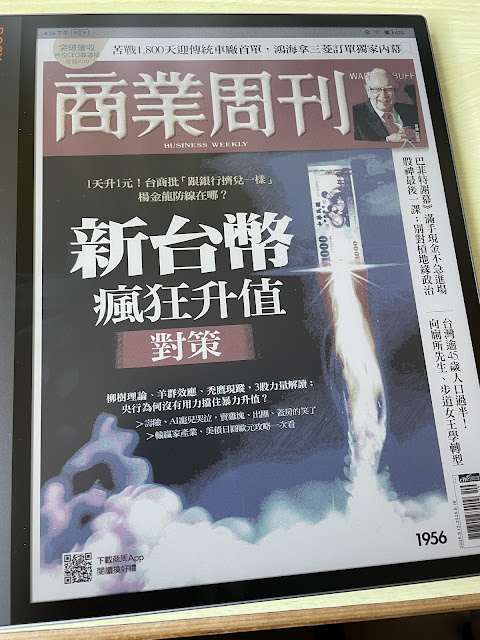
Before we begin, I recommend clicking the "eink" button in the top right corner for a better reading experience! (In this mode, if you want to open a hyperlink or enlarge an image, please long-press and select "open link". If you are using a computer, you can right-click and select "Open link in a new tab." You can also navigate this mode by right/left arrow on keyboard.) Most of my articles haven't been translated into English. If you need to read them, you may use the built-in translation tool in browser. Two years ago, when Onyx launched the Tab Ultra C (TUC), a 10-inch color E Ink tablet with BSR fast refresh technology, I was really looking forward to the day I could get my hands on a 13.3-inch color Kaleido 3 large-screen tablet. After all, the 13.3-inch size is the most suitable for reading A4-sized documents, such as literatures or magazines, and also provides enough writing space for handwritten notes. Furthermore, after the release of the Ta...

總網頁瀏覽量

關於本文作者

Jack Black
本身從事醫療工作,但對物理、科學、電機資訊、機械工程有濃厚的興趣。希望透過以上知識的結合對人類的健康與地球的永續盡一份力。

如果您喜歡我寫的文章,可以贊助我一杯咖啡,給我更多創作的動力,謝謝您的支持!

Buy Me A Coffee
